Configuring Docker Desktop
Learn how to install and configure Docker Desktop for the UR Encoder Desktop.
Overview
Docker Desktop is a System Requirement for running the UR Encoder Desktop on a Windows PC.
A Docker Account is not required for running the UR Encoder Desktop.
Important Note: Review the Allowlist for Docker Desktop Documentation for the domain URLs you need to allow in your Firewall Rules to ensure Docker Desktop works properly within your environment.
Configure Docker Desktop
- Install Docker Desktop* (if not already installed).
- Launch Docker Desktop by clicking on the Docker Desktop Icon.
- Confirm that Docker Engine is running. This can be confirmed by checking in the Bottom-Left Corner of the Docker Desktop Screen.
* Your PC may need to be restarted after the Docker Desktop Installation if certain Runtime Dependencies, such as WSL2, are not already installed.
Image 1. Docker Desktop Icon
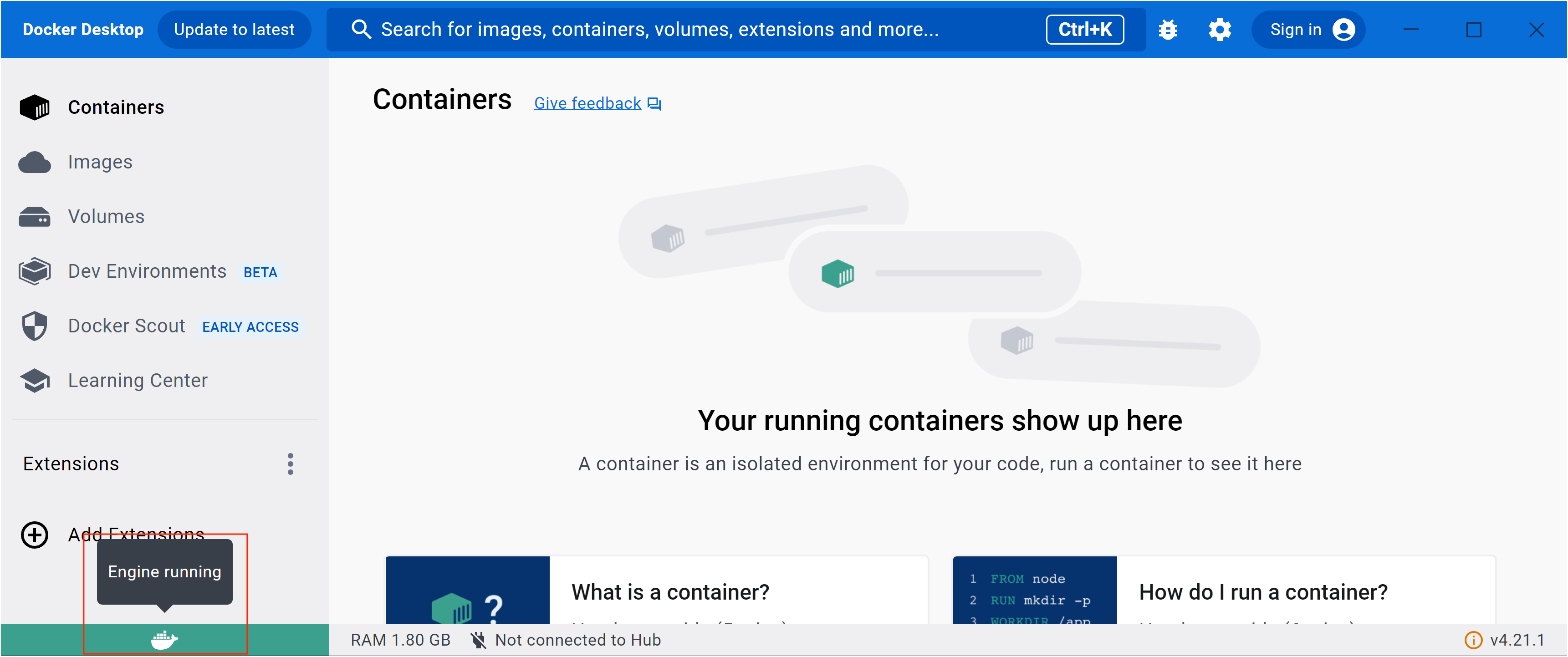
Image 2. Status of Docker Engine